
Free
Ads on websites
Banners, sponsored tiles and ad blocks, based on EasyList and RU AdList.

Safari · Mac · iPhone · iPad
AdBlocker removes ads on websites, in videos and on YouTube, and stops pop-ups and ad redirects. It works in Safari on Mac, iPhone and iPad.
The first 3 days of Premium are free
The iPhone and iPad version is being prepared for the App Store.
How to start
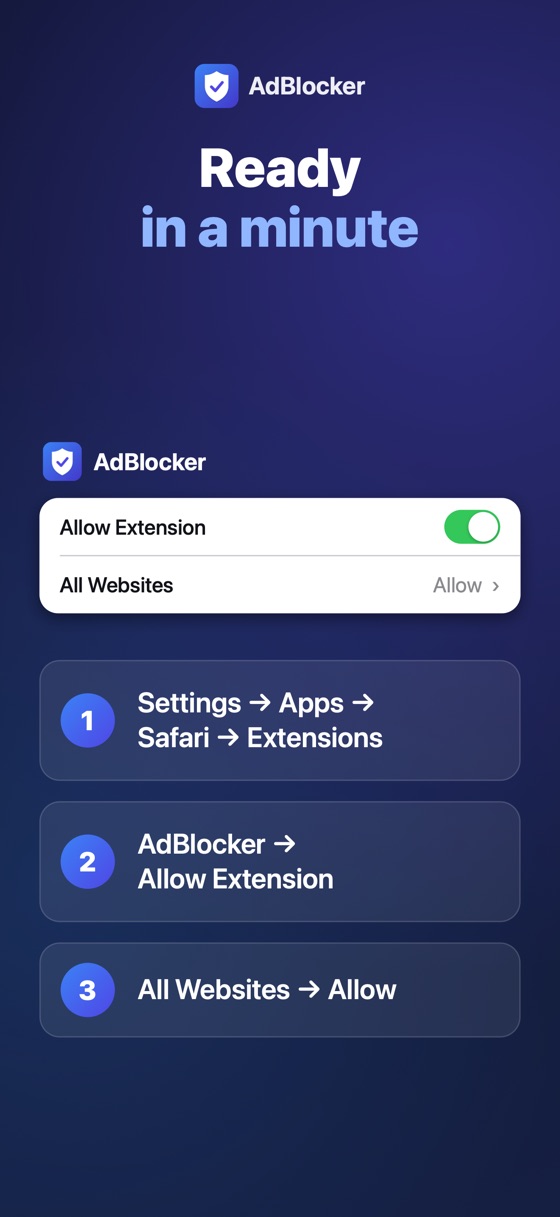
Screens from iPhone: a page with and without ads, AdBlocker’s menu in Safari and setup in a minute.

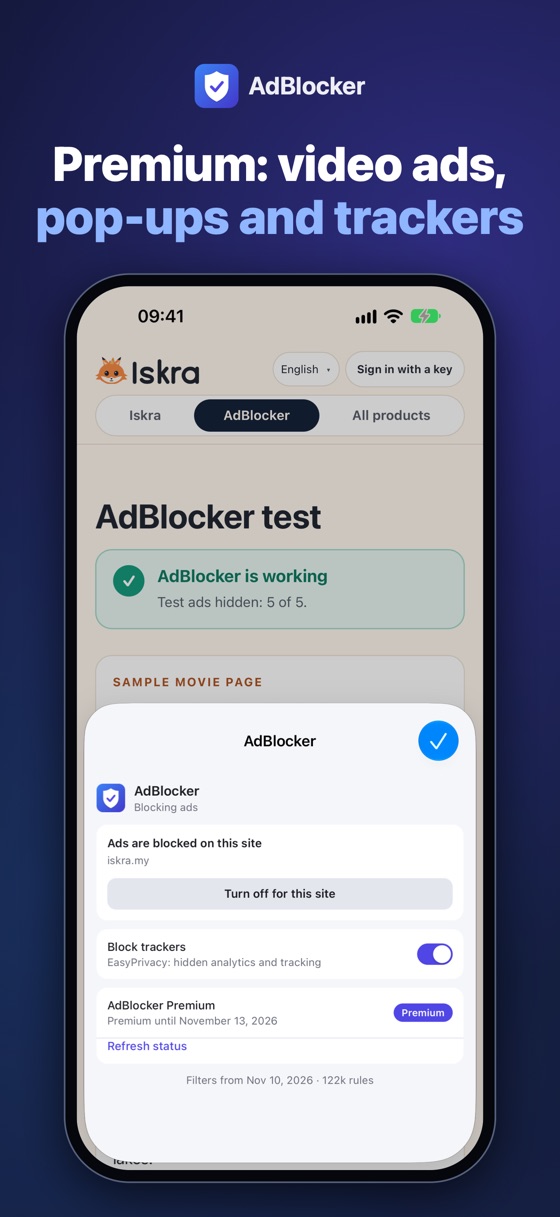
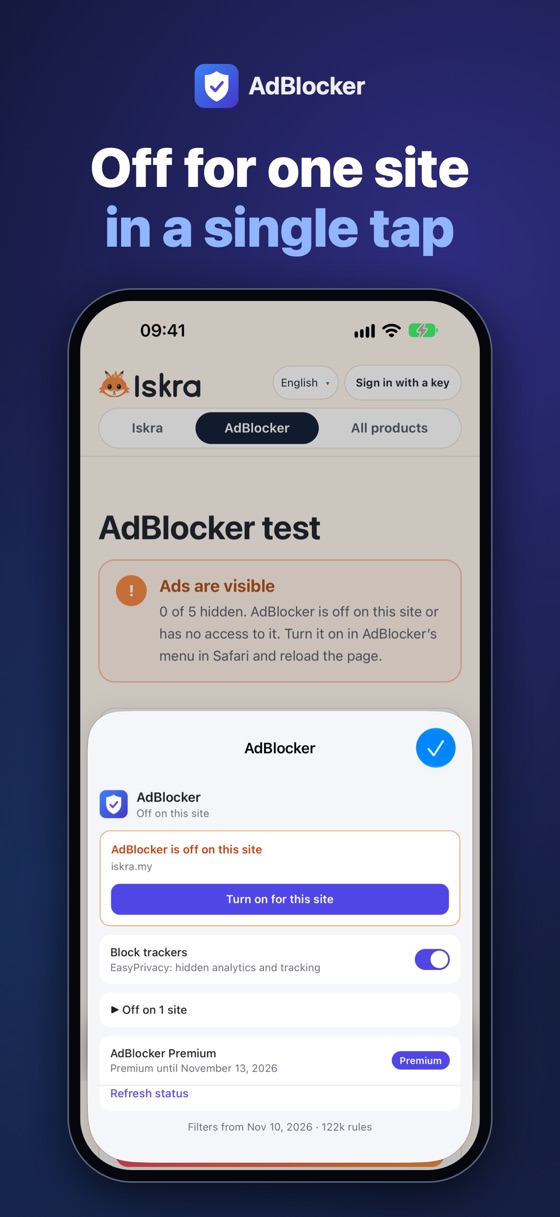


Screens from a real movie site in Safari on iPad. The film and the ad are blurred.
Banners, sponsored tiles and ad blocks, based on EasyList and RU AdList.
Ads before, during and after a film in embedded video players, and banners over the video.
Ads before and in the middle of videos, ad blocks in the feed and the “ad blockers are not allowed” dialog.
Windows that open when you click anywhere on a page, invisible links laid over the page and redirects to ad sites.
Hidden counters that follow you from site to site (EasyPrivacy).
Blocking happens inside Safari. Page addresses and history are never sent anywhere.
Install the AdBlocker app and open it.
Turn on the extension: on a Mac in Safari → Settings → Extensions, on iPhone and iPad in Settings → Apps → Safari → Extensions.
Allow AdBlocker on all websites. For Premium, enter your key in the app.
Yes: 3 days of full access for free, once. They start the first time you sign in with a key in the app.
No. Your access key replaces an account: create it on this website and enter it in the app. No email required.
No. On the website you pay once for the period you choose and renew only when you want to.
AdBlocker keeps blocking regular ads on websites for free. Video ads, YouTube, pop-up and tracker blocking turn off until you renew.
No, only in Safari: on Mac, iPhone and iPad.
No. Blocking happens in Safari on your device. Our server only receives the key check, never page addresses.
No. Each product has its own key: an AdBlocker key starts with ADB-.
Filter lists: EasyList and EasyPrivacy (CC BY-SA 3.0), RU AdList (CC BY 3.0). Thanks to their authors.
Download it for Mac, turn it on in Safari and open your favourite sites. Premium is free for 3 days.